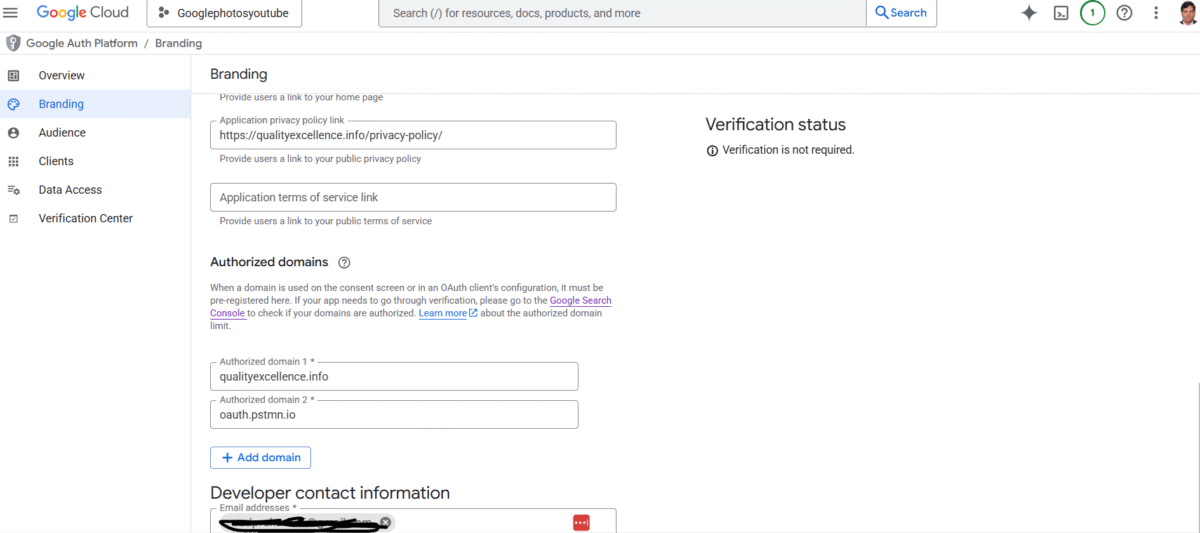
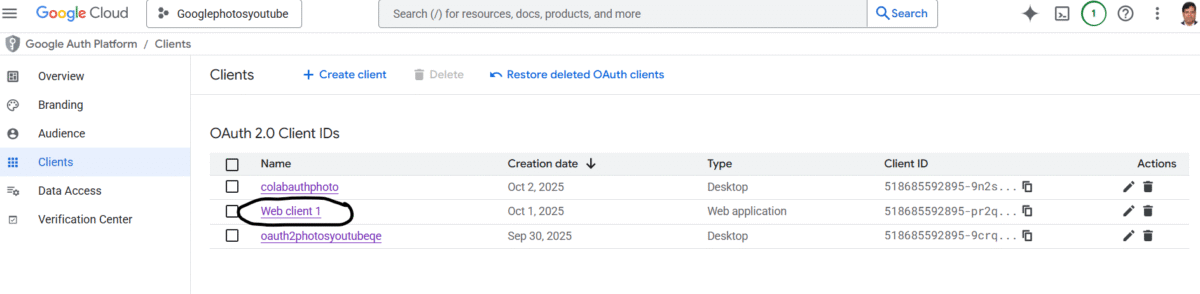
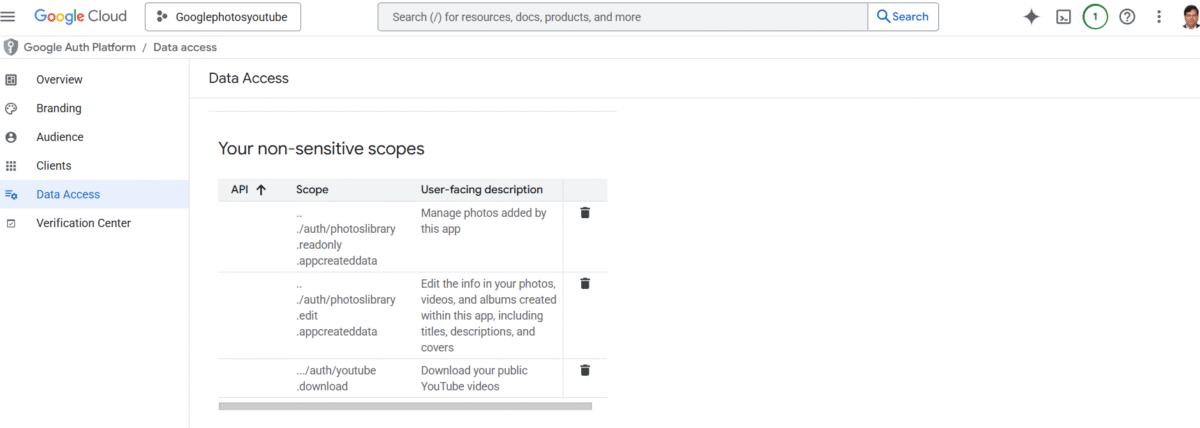
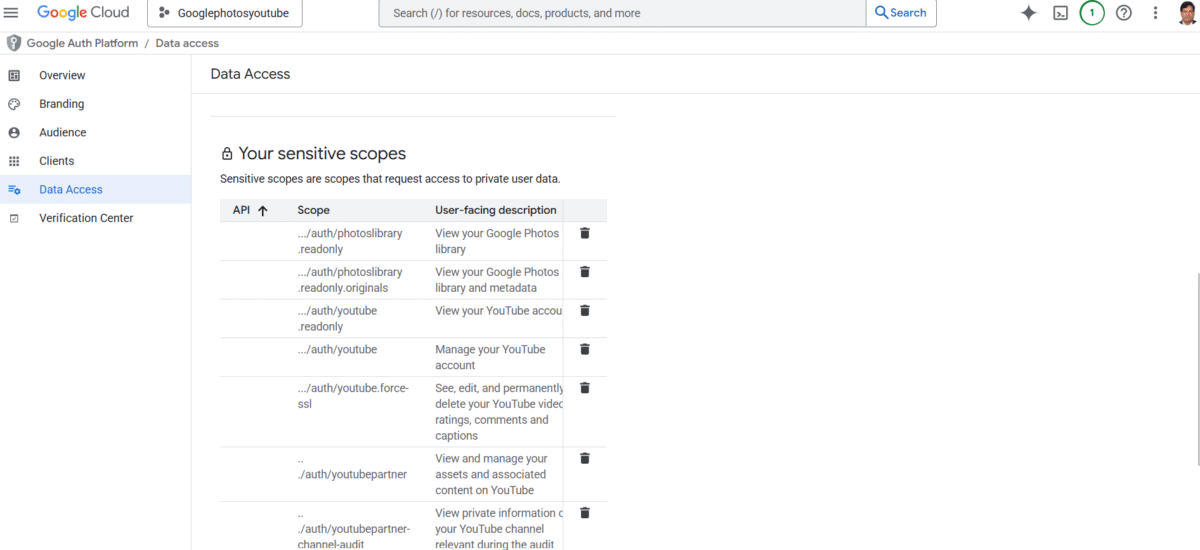
This project is for google photos to upload automatically to youtube as video, so, it takes approx 50 or 100 photos or can be customized to take 1GB photos collections automatically and then create a slideshow, upload to youtube as unlisted or private video and delete photos automatically so you dont have to worry about downloading photos manually and create space for photos backup. It can be run daily, weekly, monthly as batch file and whole process can be automated. It uses Google cloud platform, create project there, managed scopes for client auth 2.0 (web/desktop) with client id and secret stored in google colab. Google Photo library API and Youtube API are used to fetch records and upload.
Here are some codes
#%% md
# 📸 Google Photos to YouTube Automation (Colab Version)
This notebook downloads your Google Photos, creates a video slideshow, and uploads it to YouTube as unlisted.
#%%
!pip install --upgrade google-auth google-auth-oauthlib google-auth-httplib2 google-api-python-client moviepy imageio[ffmpeg]
#%%
from google.colab import auth
auth.authenticate_user()
print("✅ Authenticated with Google Colab account")
#%%
from google.colab import drive
drive.mount('/content/drive')
#%%
import os, json, datetime
from moviepy.editor import ImageClip, concatenate_videoclips
from googleapiclient.discovery import build
from googleapiclient.http import MediaFileUpload
from google_auth_oauthlib.flow import InstalledAppFlow
from google.auth.transport.requests import Request
from google.oauth2.credentials import Credentials
from IPython.display import clear_output
#%%
SCOPES = [
    'https://www.googleapis.com/auth/photoslibrary.readonly',
    'https://www.googleapis.com/auth/youtube.upload'
]
flow = InstalledAppFlow.from_client_secrets_file(
    '/content/drive/MyDrive/client_secret.json', SCOPES)
creds = flow.run_console()
youtube = build('youtube', 'v3', credentials=creds)
from google.auth.transport.requests import AuthorizedSession
photos_session = AuthorizedSession(creds)
print("✅ Google Photos & YouTube access granted")
#%%
def download_latest_photos(n=50):
    url = 'https://photoslibrary.googleapis.com/v1/mediaItems'
    items = []
    resp = photos_session.get(url, params={"pageSize": n})
    data = resp.json()
    for m in data.get('mediaItems', []):
        if m.get('mimeType', '').startswith('image/'):
            base_url = m['baseUrl'] + '=d'
            filename = f"/content/drive/MyDrive/photos/{m['id']}.jpg"
            os.makedirs(os.path.dirname(filename), exist_ok=True)
            if not os.path.exists(filename):
                with open(filename, 'wb') as f:
                    img = photos_session.get(base_url)
                    f.write(img.content)
            items.append(filename)
    return items
photos = download_latest_photos(50)
print(f"✅ Downloaded {len(photos)} photos")
#%%
def create_video_from_photos(photos, output_path):
    clips = [ImageClip(p).set_duration(2) for p in photos]
    video = concatenate_videoclips(clips, method="compose")
    video.write_videofile(output_path, fps=24, codec='libx264')

output_video = "/content/drive/MyDrive/photos_slideshow.mp4"
create_video_from_photos(photos, output_video)
#%%
def upload_to_youtube(path, title):
    request = youtube.videos().insert(
        part="snippet,status",
        body={
            "snippet": {"title": title, "description": "Created via Colab"},
            "status": {"privacyStatus": "unlisted"}
        },
        media_body=MediaFileUpload(path)
    )
    response = request.execute()
    print("✅ Video uploaded to YouTube. ID:", response['id'])

upload_to_youtube(output_video, "My Photo Slideshow from Google Photos")